
How to Vote by e-Ballot
Check ALL your email accounts including the Spam or Junk folder for the following email address: “Pacifica Foundation Inc <invitations@mail.electionbuddy.com> with the the subject line: "Vote now: Pacifica Foundation Inc - 2024 Local Station Elections".” Most email accounts, either on a phone or on your desktop computer, have the ability to search for a specific address. Just find the search window for the program and enter <invitations@mail.electionbuddy.com>.
You’ll see a page like this if you are a listener:
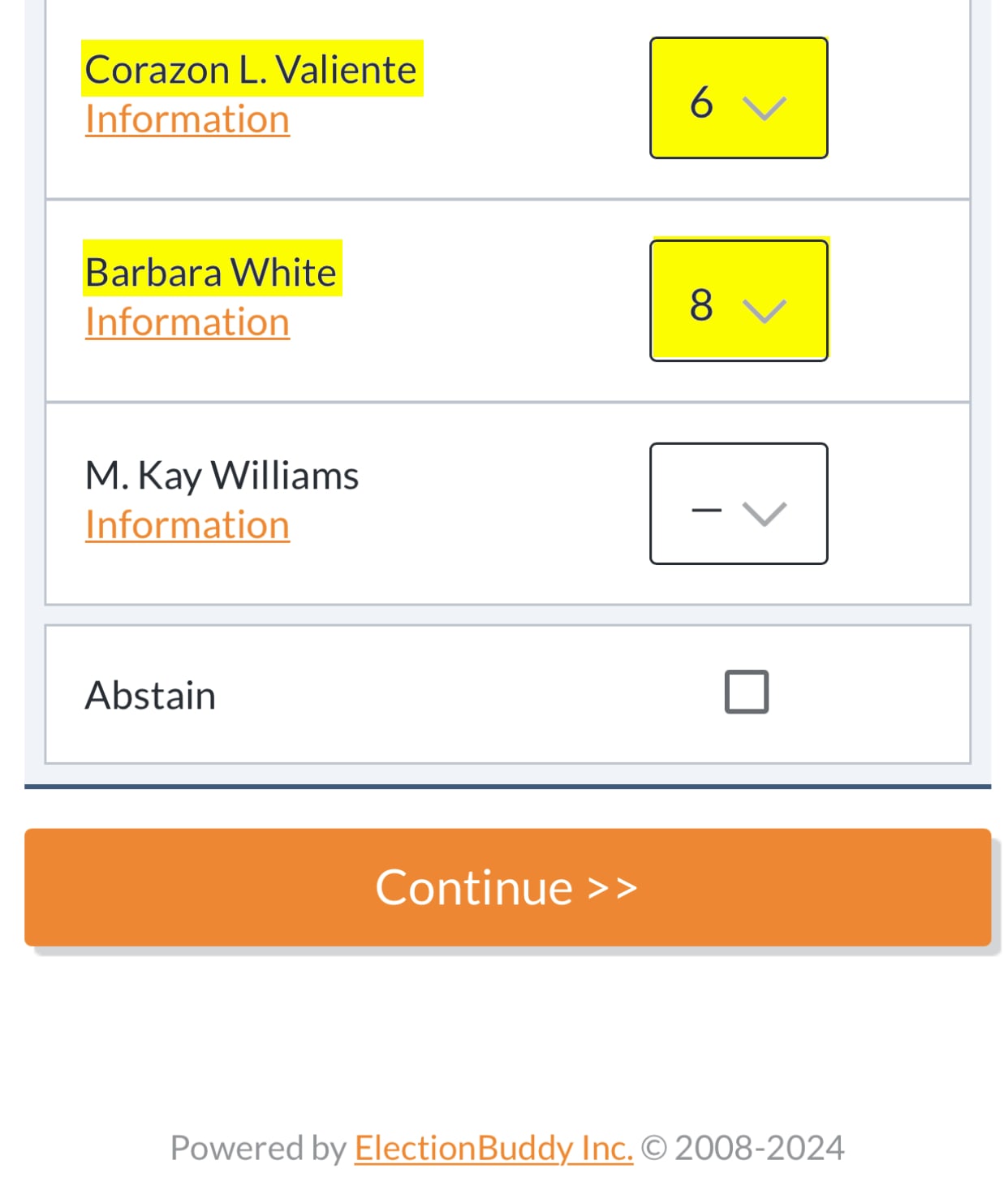
Select your candidates. We advise ranking only the 8 marked in the order that they are listed below on this sample ballot.

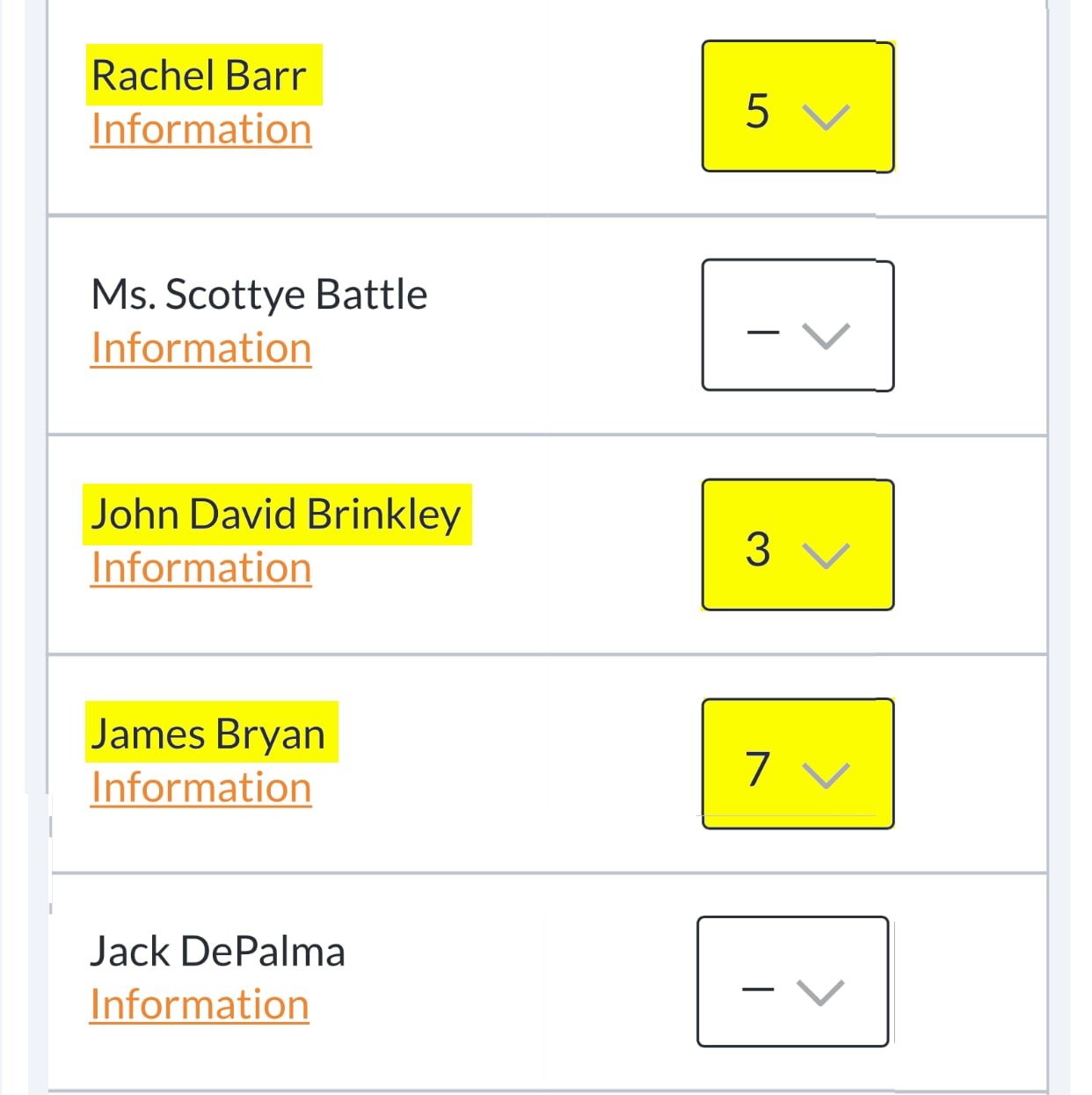
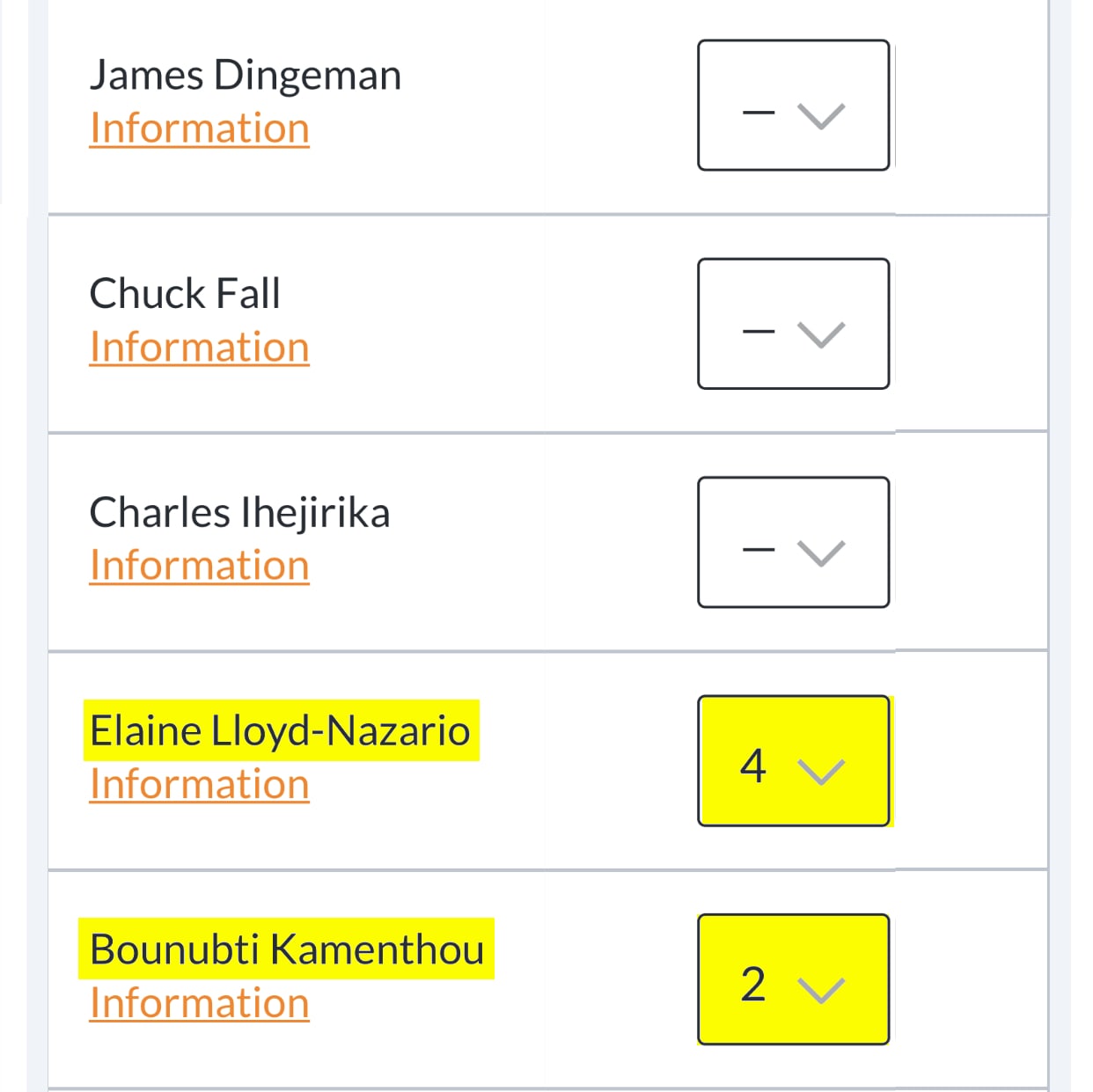
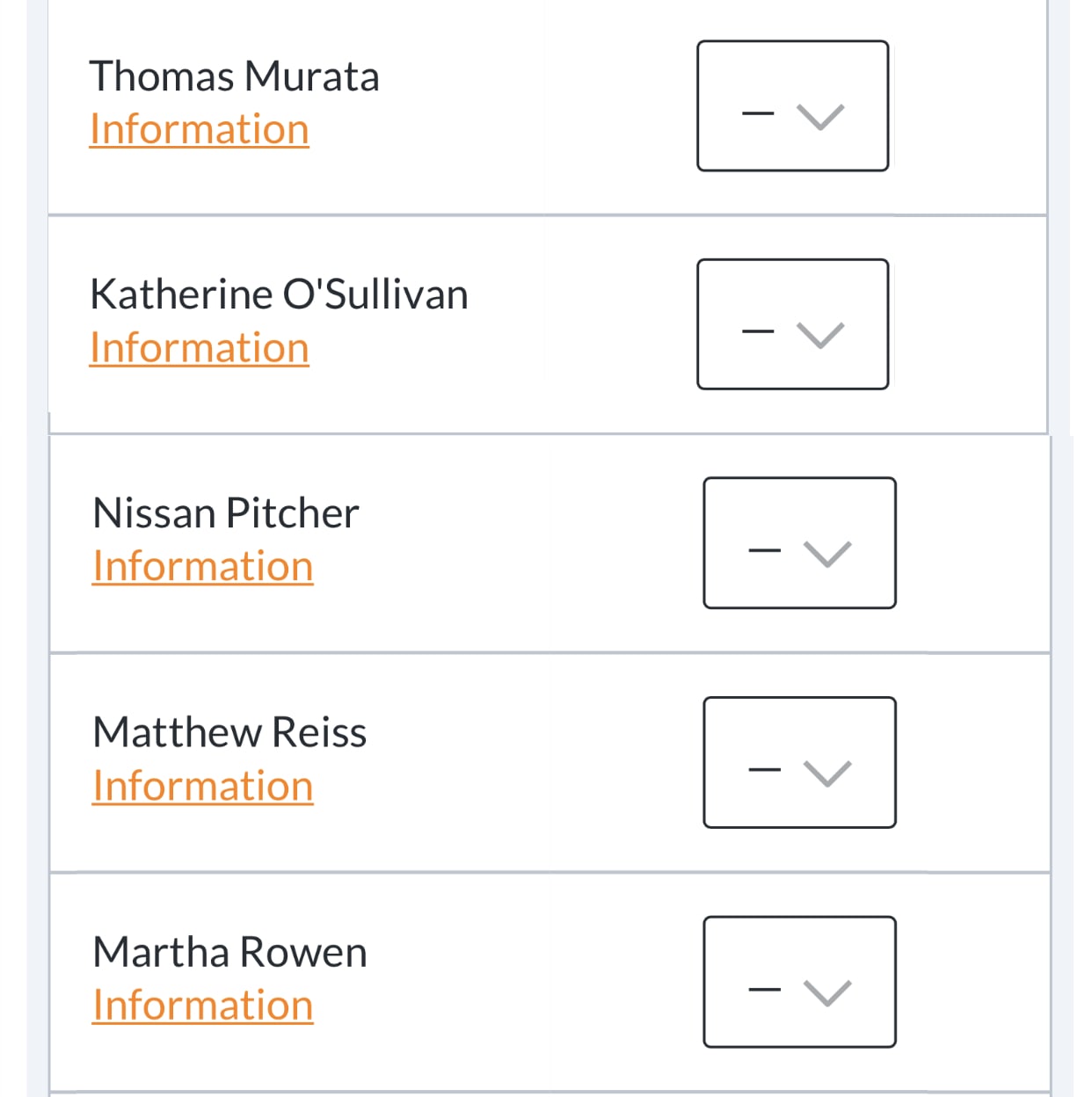
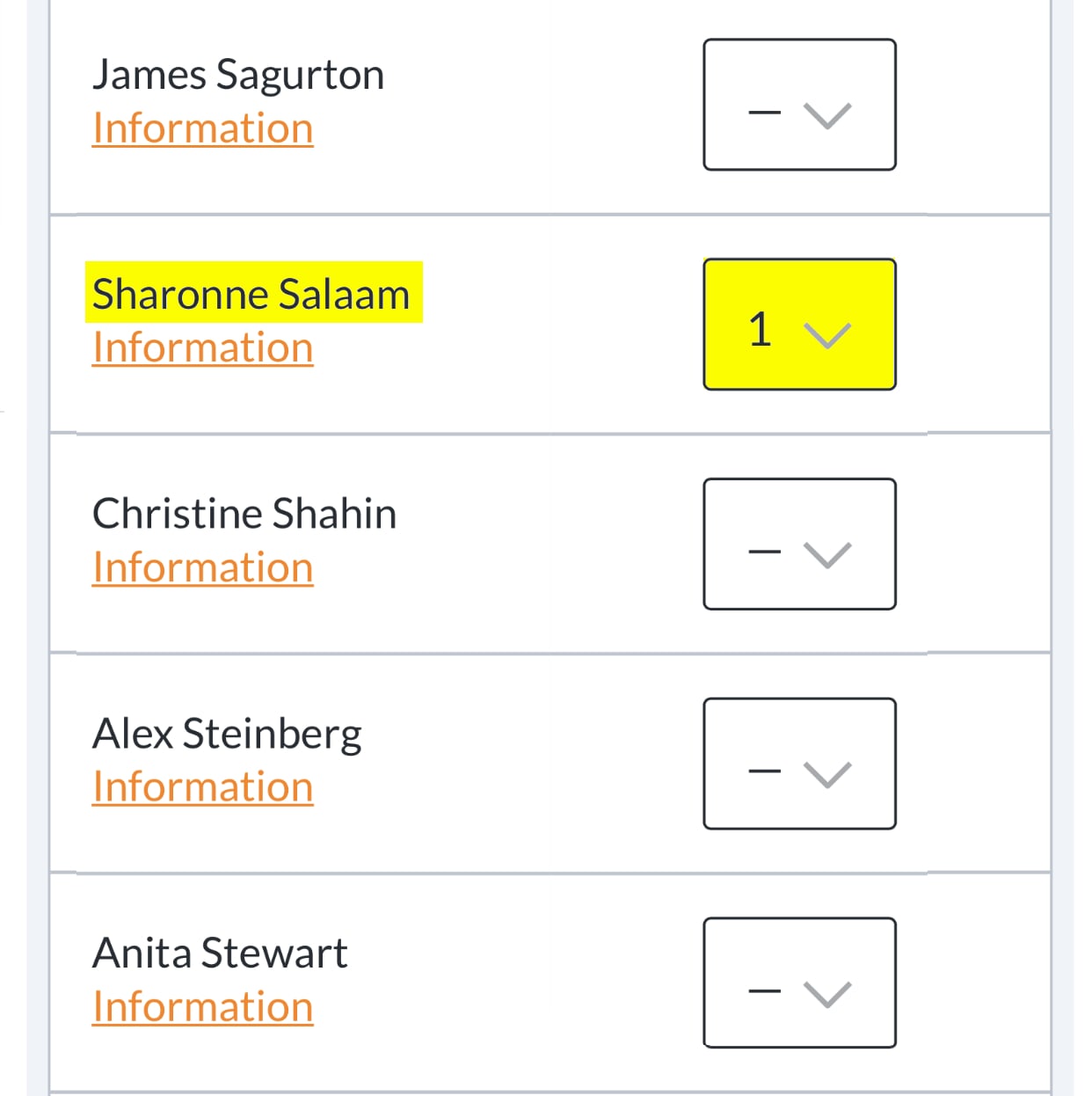
Confirm Your Vote...
Then click the orange “Continue” button and follow any additional instructions that are provided until you arrive at a confirmation page that your ballot has been successfully cast.
Print or take a Screenshot of Your Confirmation Page
If you like, you can print out your results in case you want to check your memory or confirm the results later on. Pacifica may allow you to check if there is a dispute over the results.
If you don’t have a printer, or can't take a screenshot, copy your confirmation code for checking later.
Stay Up to Date!
Get Voter Info and periodic updates from the Justice & Unity Campaign.
Thank you. You have successfully subscribed. Check your in box to confirm your subscription, now!